How can a front desk get visitors to sign an NDA without slowing down arrivals?
Confidentiality agreements at reception are common in product, legal, and engineering offices, and they are a frequent source of lobby delays. Here is how to keep the paperwork without the queue.

Why the paper NDA at the desk is a bottleneck
The paper version of this process has a familiar shape. The visitor arrives, the receptionist hands over a clipboard with a two-page agreement, the visitor pretends to read it, signs, and the receptionist files it in a drawer nobody will ever open again. That takes three to five minutes if the pen works, and it produces a document that is hard to find later, easy to lose, and impossible to search. When two or three visitors arrive together, the clipboard becomes a queue, and the host is now waiting for the receptionist to finish rather than the other way around. Related: Why do modern offices replace paper visitor books with digital check-in?
The bigger problem is that the paper process is inconsistent. Some receptionists insist on it, some skip it for people they recognize, and nobody knows afterward who actually signed. If the agreement matters enough to require, it matters enough to know it was signed, by whom, and when. A digital agreement step in the check-in flow gives you that record automatically, and it lets you decide precisely which visitor types must sign rather than leaving it to the mood at the desk. Related: How does a tablet visitor sign-in system improve front desk security?
Keep reading: How does a tablet visitor sign-in system improve front desk security?, What information should a visitor management log capture for compliance audits?, Why do modern offices replace paper visitor books with digital check-in?. See how LobbySignr helps you visitor lobby sign-in and host notifications.
Move signing to before the visit whenever possible
The fastest NDA is the one signed the day before. When the host pre-registers a visitor, the confirmation message can include a link to review and sign the agreement in advance. The visitor reads it at their own pace, on their own device, without a receptionist watching and a host waiting. When they arrive, the kiosk already knows the agreement is signed and skips the step entirely. For repeat visitors, the system can remember that a valid agreement is on file and skip it again until it expires.
Not everyone will sign ahead. Some ignore the message, some arrive unannounced, and some have legal teams that need to review the language first. That last group is worth flagging to the host, because a visitor from a large company may need to have the agreement approved by counsel and arriving with a surprise NDA is a poor start. For the others, the kiosk should present the agreement at check-in as a fallback, not as the default path. The goal is that most visitors never see the agreement in the lobby at all.
Designing the at-kiosk signing step
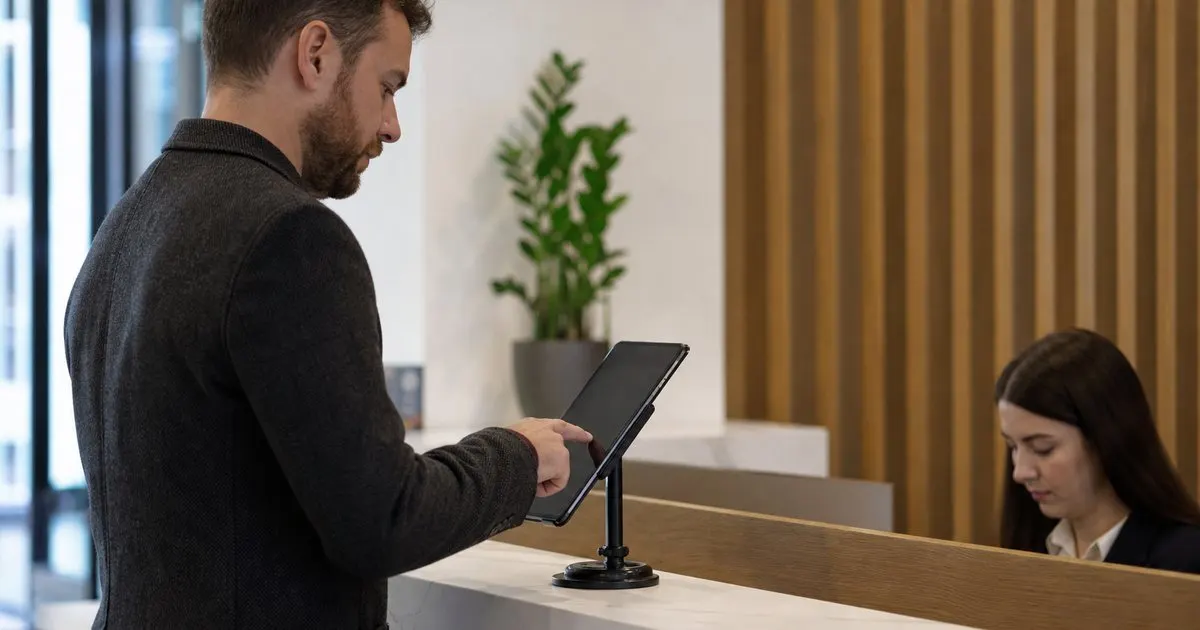
When signing does happen at the desk, the design of the screen decides how long it takes. Show the agreement in a scrollable view with readable type, not a tiny embedded document that requires pinching. Keep the agreement itself short. A one-page confidentiality agreement written in plain language is signed faster and disputed less often than four pages of boilerplate, and it is worth asking your counsel to produce a visitor-specific version rather than reusing a vendor contract. A visitor NDA is normally one-way, protecting your information, so a mutual form is only worth considering when the visitor will be sharing confidential material of their own during the visit. A signature box, a typed name, and a checkbox acknowledging the terms are enough for most purposes. Related: What information should a visitor management log capture for compliance audits?
Give the visitor a copy. An email with the signed document, sent automatically, respects the visitor and reduces the number of people who later say they did not know what they signed. It also removes the receptionist from the job of printing and handing over copies. On the office side, the signed agreement should be attached to the visit record so that anyone with permission can find it by visitor name or date, which is exactly what the drawer of clipboards could never do. Related: When should your office print visitor badges instead of using handwritten stickers?
Deciding who must sign and enforcing it consistently
Not every visitor needs an NDA. Delivery drivers, job candidates for a first interview, and guests attending a public event usually do not. Contractors with access to internal systems, prospective partners touring a lab, and consultants attending planning sessions usually do. Encode this by visitor type in the check-in flow so the kiosk asks for a signature only when the type requires it. That makes the rule consistent and takes the decision away from the desk, which protects the receptionist from awkward conversations about why one person has to sign and another does not.
Review the rules with legal once a year. Agreements have expiry dates, company policies change, and a visitor type that did not need an NDA two years ago may need one now that a team handles more sensitive work. When the rules change, the change should be made in the system once, not communicated to each receptionist and hoped to stick. Consistency is what makes the agreement defensible if it is ever tested.
- Paper NDAs at the desk are slow, inconsistent, and nearly impossible to find later.
- Send the agreement with the pre-registration message so most visitors sign before arriving.
- When signing happens at the kiosk, use a short plain-language agreement and email a copy automatically.
- Tie the NDA requirement to visitor type in the system so enforcement is consistent and the desk is not the judge.

Julien Jimenez
Julien Jimenez is an independent software builder based in Paris. He designs, ships, and operates focused SaaS products for small businesses and independent professionals. Read the full author page.
Welcome Every Visitor With Confidence
Visitor lobby sign-in and host notifications. LobbySignr is built to help you put this into practice.
Start free trialMore from the LobbySignr blog


Get the LobbySignr playbook
Practical guides on visitor management, straight to your inbox as we publish them. No spam, unsubscribe any time.